Scheduling, Calendar Views,
and Automated Reminders
Manage events, appointments, work schedules, and shared calendar visibility in one place. URBN Hub keeps schedules connected to your clients, team members, and real business activity instead of splitting everything across separate tools.
Start with shared calendar visibility inside URBN Hub, then unlock white-labeled invites, automated reminders, RSVP tracking, and add-to-calendar links with Scheduling.
A connected calendar for your business, not just a list of events
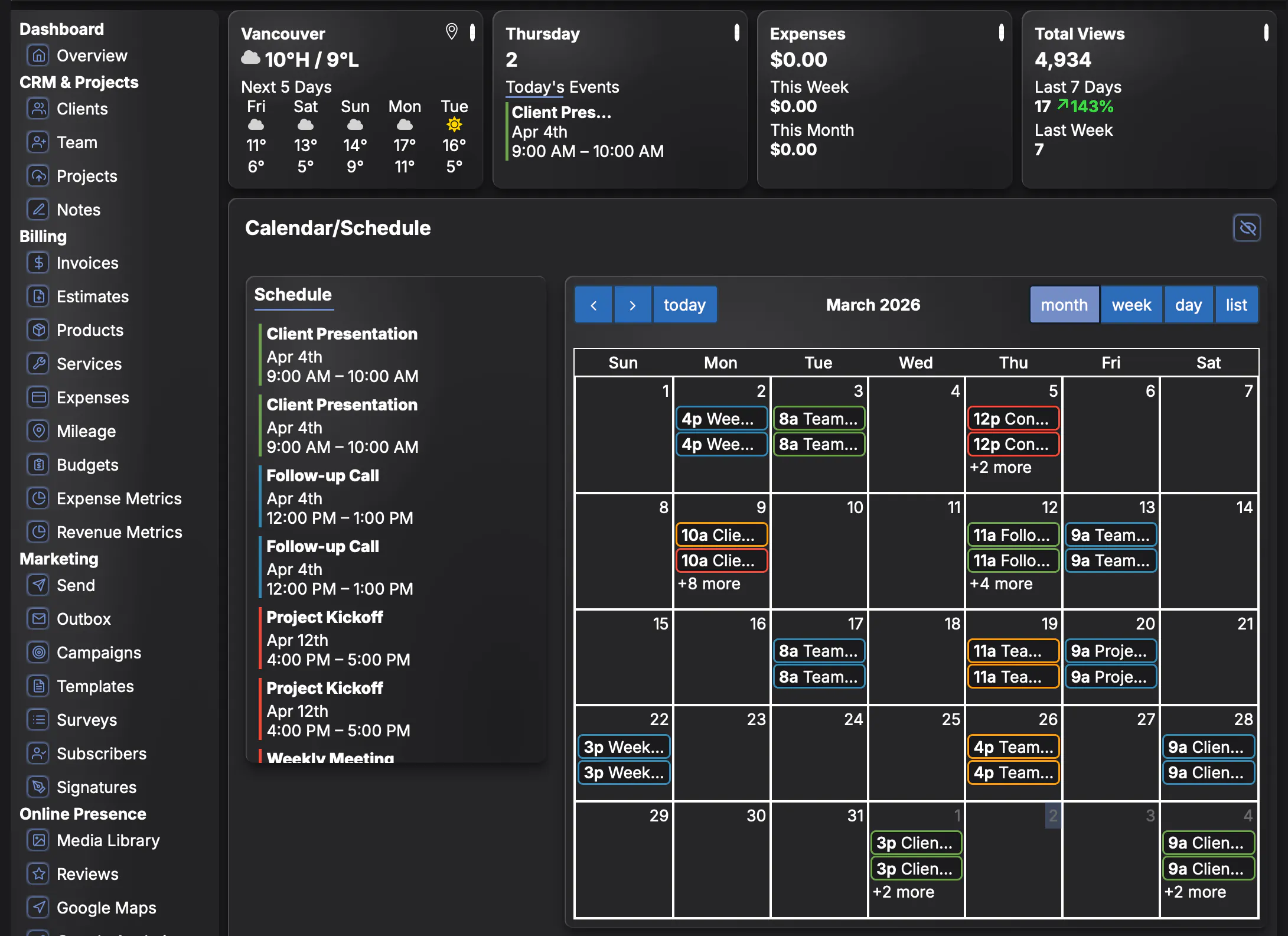
URBN Hub Scheduling gives you a shared calendar where owners and admins can create events, assign visibility, manage recurring bookings, and keep everything tied to the right people. Clients and team members can view the events that matter to them without being overwhelmed by everything else.
- Create one-time or recurring events in a shared calendar
- View schedules by month, week, day, or list
- Keep events connected to your existing clients and team members
- Drag and drop events to update the calendar quickly
- Show only the jobs, appointments, and schedules each person should see
Owners control who sees what
Scheduling is built with controlled visibility in mind. Owners and admins can decide which team members, users, and clients can view each event. That means clients only see their own appointments, team members only see the work they are part of, and your calendar stays organized without exposing unnecessary information.
Client Read-only Views
Clients can see their own appointments and service dates without editing the calendar.
Team Read-only Views
Team members can see their assigned jobs, shifts, and events without changing shared scheduling.
Owner/Admin Control
Admins decide who is included on each event and what each person can view.
Cleaner Coordination
Keep the right people informed without sending extra messages or duplicate updates.
Connected Workflows
Scheduling stays tied to your clients, team, and operational workflows inside URBN Hub.
Less Tool Switching
Stop juggling one app for calendars, another for clients, and another for communication.
Create events with the right people included from the start
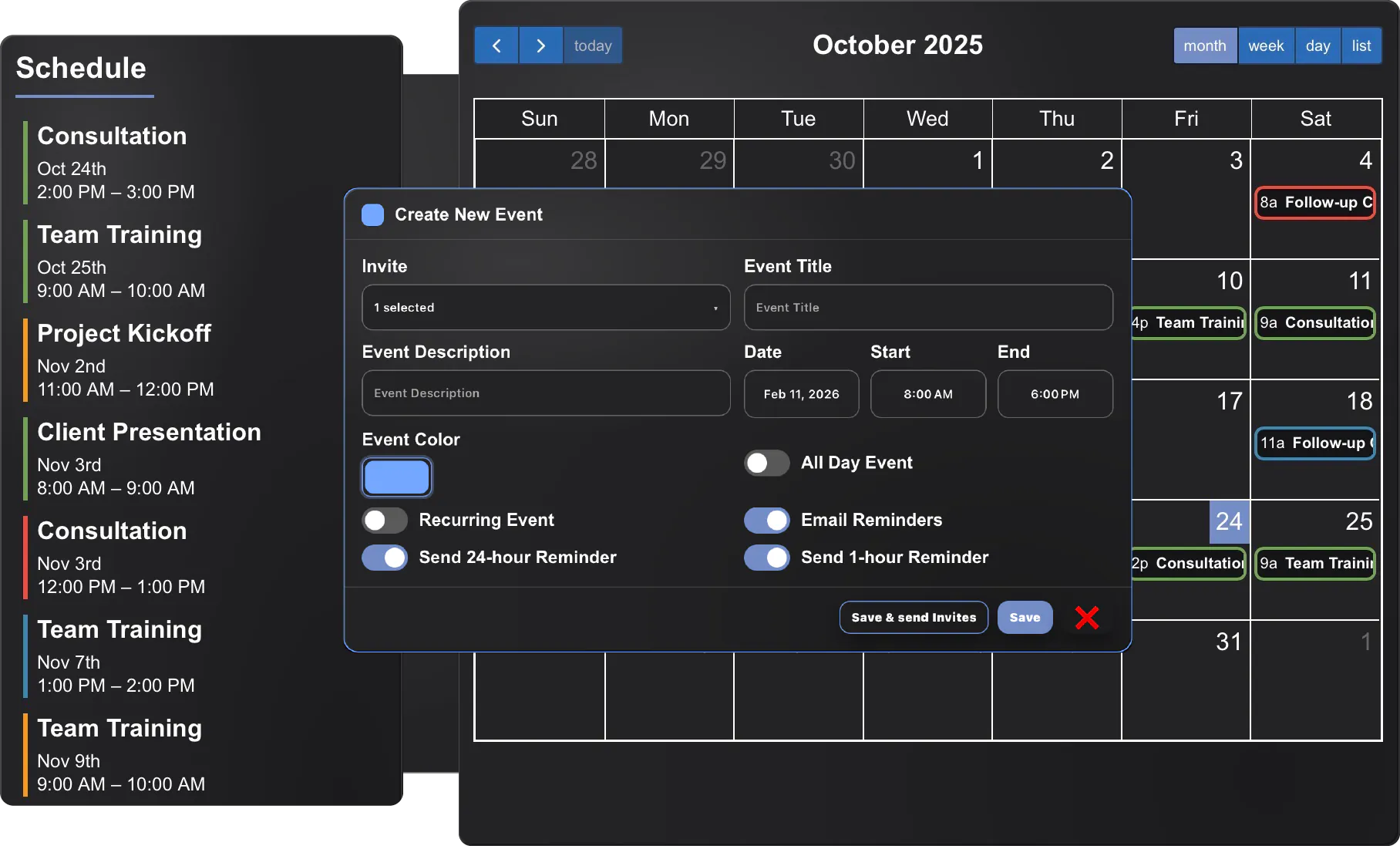
When creating an event, owners and admins can choose who is invited, set all-day or timed events, create recurring schedules, choose event colors, and decide whether reminders should be sent. That makes it easy to coordinate appointments, jobs, shifts, service dates, and internal scheduling from one screen.
- Add clients, team members, and users to the same event
- Create timed, all-day, or recurring events
- Choose color-coded events for easier visual organization
- Set automated reminder options for premium scheduling users
- Keep invitations and scheduling tied to the right account records
Upgrade Scheduling to unlock white-labeled invites and reminders
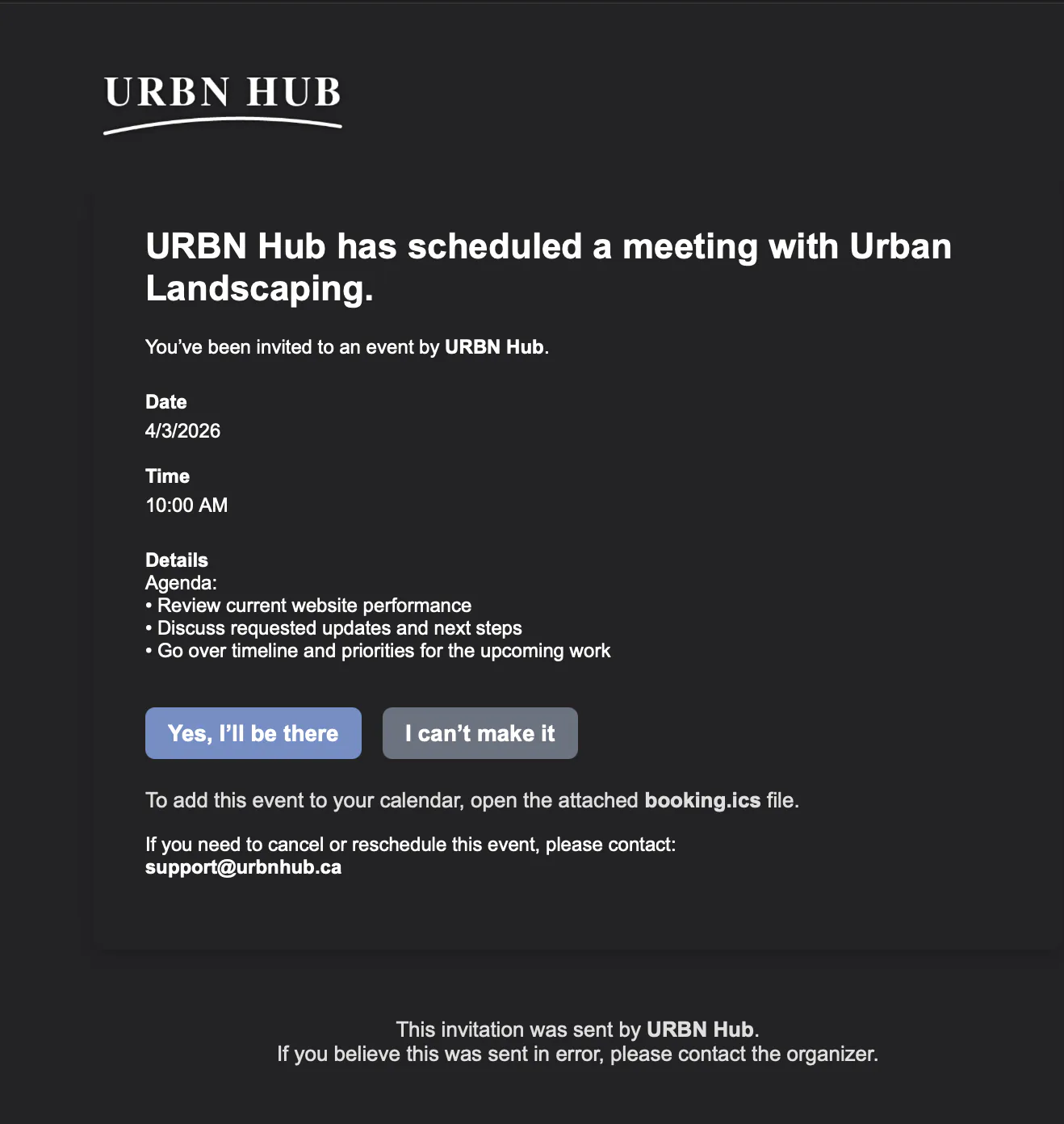
The included calendar already gives you shared scheduling visibility across URBN Hub. When you add Scheduling, you unlock white-labeled invites, 24-hour and 1-hour automated reminders, RSVP tracking, resend invites, and add-to-calendar support so clients and team members can respond and stay on time more easily.
- Send white-labeled event invitations from your own branded workflow
- Trigger 24-hour and 1-hour reminder emails automatically
- Let invitees add events to their own calendars
- Track whether they accepted, declined, or have not responded yet
- Resend invites when needed without rebuilding the event
Scheduling works better when it is tied to the rest of your system
URBN Hub Scheduling is more useful than a standalone calendar because it already knows your clients, your team, and your business structure. Events are not floating in a disconnected app. They are part of the same system your business already uses for projects, communication, billing, and client activity.
For Service Businesses
Keep appointments, work dates, and staff schedules connected to the actual work being done.
For Clients
Give clients a simple read-only schedule view so they can stay informed without confusion.
For Teams
Show team members only what they need to see, with less noise and fewer manual updates.
For Admins
Create, edit, reschedule, and manage visibility from one place with more control.
For Branding
Use white-labeled invitations and reminders that feel like part of your business, not someone else’s platform.
For Growth
Start with shared visibility, then upgrade to premium scheduling tools when your operations need more automation.
Everything You Need to Know
Learn how URBN Hub helps you manage clients, projects, billing, scheduling, and email tools from one simple dashboard.
Keep appointments, work schedules, and reminders in one connected system
Start with shared calendar visibility, then unlock branded invites, automated reminders, RSVP tracking, and add-to-calendar support with Scheduling.